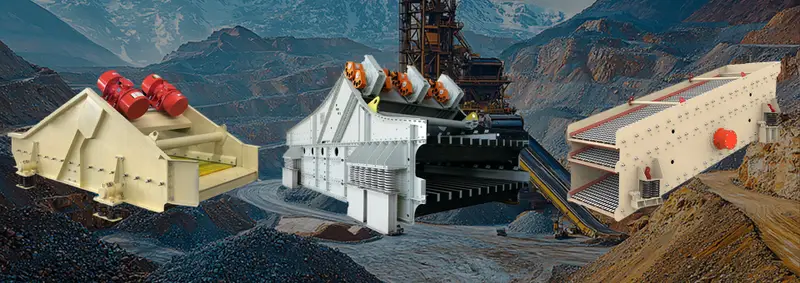
The resonance of a vibrating screen refers to a critical operating condition where the screen’s natural frequency aligns with its forced vibration frequency, causing excessive, uncontrolled oscillations. This phenomenon amplifies vibrations beyond design limits, leading to structural stress, component failure, reduced efficiency, and safety risks. Here’s a detailed breakdown:
Why Resonance Occurs
Every vibrating screen has a natural frequency (intrinsic to its mass, stiffness, and damping). When the driven vibration frequency (e.g., from the motor/eccentric weights) matches this natural frequency, energy transfer maximizes, creating resonance.
Key Effects of Resonance
-
Amplified Vibrations:
- Vibrations intensify dramatically (10–20× normal levels).
- Causes violent shaking, loud noise, and instability.
-
Structural Damage:
- Fatigue cracks in the screen frame, deck, or supports.
- Bolt/weld failures due to cyclic stress.
-
Performance Loss:
- Irregular material flow → poor separation accuracy.
- Screen “blinding” (mesh clogging).
-
Safety Hazards:
- Risk of component detachment, bearing seizures, or motor failure.
How to Avoid Resonance
Resonance is managed through design and operational safeguards:
-
Stiffness-Mass Optimization:
- Increase structural rigidity (e.g., reinforced frames).
- Adjust mass distribution to shift natural frequency away from operating range.
-
Spring Isolation:
- Use damping springs or rubber mounts to absorb energy.
- Springs act as shock absorbers, decoupling the screen from resonance.
-
Critical Speed Range:
- Identify and avoid the resonance zone (typically 70–90% of the screen’s natural frequency).
- Ensure operational RPM stays above/below this critical range (e.g., rapid acceleration through resonance during startup/shutdown).
-
Variable Frequency Drives (VFDs):
- Enable smooth ramp-up/ramp-down to minimize time spent in resonance zones.
-
Finite Element Analysis (FEA):
- Modern screens simulate resonance risks during design to optimize geometry/material choices.
Real-World Example
- Problem: A mining screen shakes violently at 1,200 RPM during startup.
- Diagnosis: Resonance occurs because its natural frequency is 1,200 RPM.
- Fix:
- Install stiffer springs to raise natural frequency to 1,600 RPM.
- Use a VFD to accelerate the motor quickly through 1,200 RPM (<2 seconds).
Resonance vs. Normal Operation
| Aspect | Normal Operation | Resonance |
|---|---|---|
| Vibration Amplitude | Controlled (e.g., 2–5 mm) | Extreme (10–50 mm) |
| Frequency | Steady (e.g., 1,800 RPM) | Matches natural frequency (critical zone) |
| Material Flow | Stratified, efficient separation | Chaotic, particles “jump” off the deck |
| Component Stress | Within design limits | Accelerated fatigue, cracking |
Practical Tips
- Monitor vibrations: Install accelerometers to detect resonance early.
- Regular maintenance: Check spring integrity, bolt tightness, and frame alignment.
- Avoid overloading: Excess material dampens vibrations but can mask resonance symptoms.
⚠️ Critical Rule: Never operate a vibrating screen at its resonance frequency for extended periods. Structural failure is likely!
The Bottom Line
Resonance is a destructive instability triggered when forced and natural frequencies sync. Through intelligent design (damping, stiffness control) and operational discipline (avoiding critical RPM zones), modern vibrating screens mitigate this risk to ensure safe, efficient sieving.